The four parts of the network
An NMEA 2000 network is a backbone with devices hanging off it. You will see the same four pieces on every boat that has one:
- Backbone — the main cable run through the boat, usually a heavier cable with a T-piece at each device position. It carries both data and power.
- Drop cables or spurs — the short cable from a T-piece on the backbone to a device. Keep them short; long spurs are the usual reason a network behaves oddly.
- Terminators — a resistor at each physical end of the backbone, and only at the ends. One missing terminator or a third one in the middle causes dropped devices and intermittent data.
- Power feed — a fused connection from the boat's 12V supply, typically through a dedicated tee. The network is powered once, not once per device.
What actually travels on it
Data moves as PGNs — parameter group numbers. Each PGN is one defined message: water depth, water temperature, speed through water, speed over ground, wind angle and speed, heading, rudder angle, GPS position, engine RPM, tank levels, AIS targets. Because the message is defined by the standard, a display from one brand can show a depth reading that came from another brand's sounder module.
That is the whole point of the network, and also its limit. A device can only share what it measures and only in the form the standard defines. A sonar module that does not output a depth PGN will not fill a depth field, no matter how the cables are joined.
NMEA 2000 is not NMEA 0183
Older boats often have NMEA 0183 instead: a two-wire serial connection, one talker to one listener, at a much lower speed. The two are not interchangeable. Many current displays have both an NMEA 2000 port and one or two 0183 ports, and a device with only 0183 output needs a converter before it can join a 2000 backbone.
Where you meet it on this site
Raymarine builds its instrument range on SeaTalkng, which is Raymarine's own cabling and connectors for the NMEA 2000 standard — same data, different plugs, so a SeaTalkng device joins an NMEA 2000 network through an adapter cable or a SeaTalkng backbone.
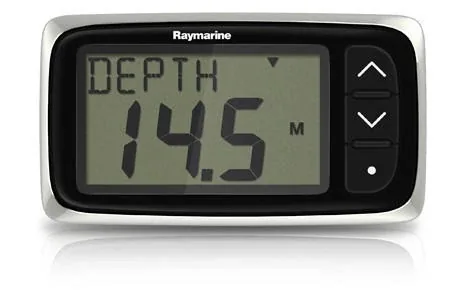
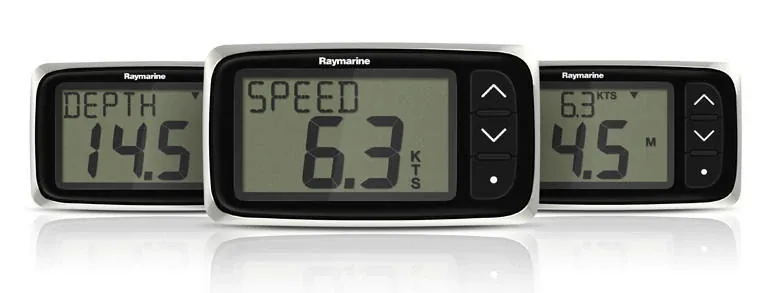
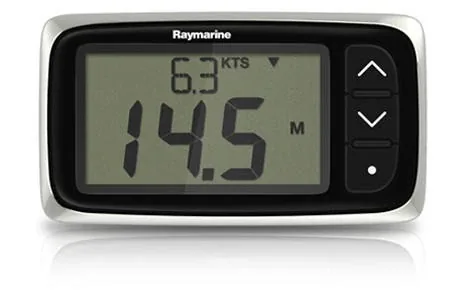
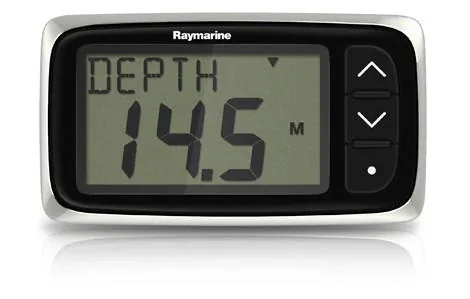
- Raymarine i40 — depth and bidata displays, sold on their own or as packs with a through-hull or transom-mount transducer. The i40 connects over SeaTalk or SeaTalkng and is listed as compatible with marine industry CAN systems.
- Raymarine i50 — speed, depth and tridata displays, in dedicated single-function units or combined speed, depth and temperature in one head.
- Raymarine i60 — wind, in analogue or digital form, with wind packs that include the masthead vane.
- Raymarine i70s — the colour instrument display, and the one that shows the widest set of data pulled off the network, including from an autopilot or chartplotter.
- Raymarine iTC-5 — a transducer converter that takes analogue depth, speed, wind, compass and rudder inputs and puts them onto a SeaTalkng backbone, with separate backbone and spur connections. This is the part that lets older analogue transducers feed a modern network.
Why it matters when you buy
Most upgrades are one device on an existing network, not a whole new system. Buying the right one comes down to four questions:
- Is the new device NMEA 2000 native, or does it need a converter from SeaTalk, SeaTalkng or NMEA 0183?
- Does your backbone have a spare spur port, or does it need a new tee and a longer run?
- Will the device share the data you actually want — depth, heading, engine — as a PGN your display reads?
- Does the existing power feed carry the extra load, or does the network need its own fused supply?
Get those right and the install is a cable and a configuration screen. Get them wrong and you own a device that powers up and shows nothing.
What Deepline checks before you pay
Send the display model, the boat and a photo of the connectors on your existing backbone. We check the connector type, whether the device is native or needs a converter, and how it will be powered before an invoice goes out. Nothing is charged on the site — you pay the emailed invoice by card link, ACH or wire, or Zelle, once the fit is confirmed.
If you are still choosing the transducer end of the system, the transducer guide covers mount, frequency, power and connectors. For the network side, start with instruments, or look at autopilots and AIS transponders, the two devices most often added to a network that already works.